
play
BestOdds Casino App
The BestOdds app reviewed: the iOS and Android mobile experience, casino games on your phone, live tables, payments and security for UK players.
On this page
Most UK casino play now happens on a phone rather than a desktop, so how BestOdds handles mobile genuinely matters. It’s worth knowing up front that BestOdds is best known as a sportsbook that also runs a casino section, and its mobile app, listed on both the Apple App Store and Google Play under “BestOdds”, is built around that combined experience. This review covers how the BestOdds app compares with playing in a mobile browser, what the casino side of the app is like to use, and the platform quirks between iOS and Android that catch a lot of players out.
The BestOdds App vs Mobile Browser
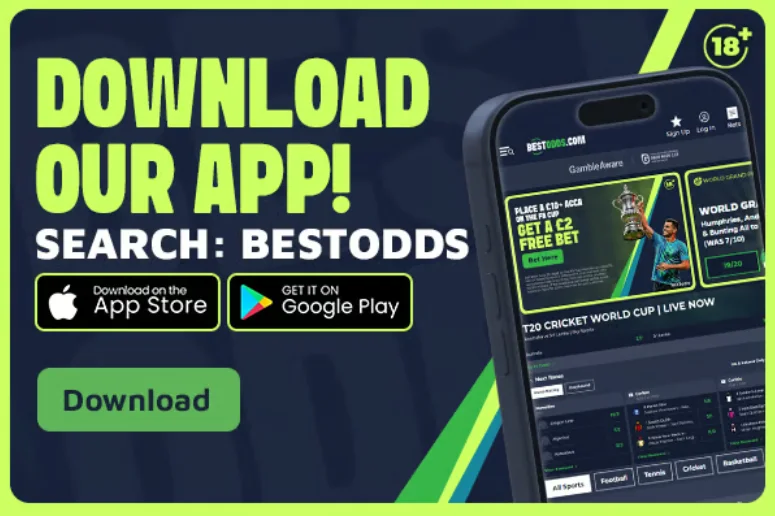
With BestOdds you have both routes open to you. The native BestOdds app is downloaded and installed directly on your phone from the App Store or Google Play, generally offering faster load times, smoother animations and biometric login (fingerprint/Face ID) once set up. Browser-based play runs entirely through your phone’s mobile browser with no download required. You log in to BestOdds the same way you would on desktop, and you can “add to home screen” for an app-like icon without an installed app behind it.
A quirk worth understanding: Apple’s App Store has historically restricted or banned standalone real-money gambling apps in many regions, which is why a lot of UK-facing operators don’t offer a downloadable iOS app at all and lean on a mobile browser experience instead. BestOdds does list an app on both stores, which puts it ahead of brands that offer browser-only mobile access. Android is generally less restrictive through the Google Play Store in permitted regions, though some operators distribute their Android app as a direct APK download from their own site rather than through the Play Store, often due to regional gambling-app policy differences.
Neither route is inherently worse. The BestOdds mobile site can feel just as fast and responsive as its native app, and it has the advantage of never needing an update. The real differentiator is execution quality, not the download method, so it’s fair to judge BestOdds on how well each version actually runs rather than on which one you use.
Practical trade-offs between the two:
| BestOdds native app | BestOdds mobile browser / home-screen shortcut | |
|---|---|---|
| Installation | Download from the App Store or Google Play | No install — works instantly in any mobile browser |
| Updates | Requires periodic app updates | Always runs the latest version automatically |
| Performance | Often marginally faster, smoother animations | Generally close, depending on your device and connection |
| Login convenience | Biometric login (fingerprint/Face ID) once enabled | Saved-session or quick-login, less consistently biometric |
| Storage | Uses phone storage space | Uses none beyond browser cache |
| Availability | Listed on both iOS and Android for BestOdds | Universally available on any modern mobile browser |
For most UK players, the practical difference between the two BestOdds routes is small, and both are backed by the same account, game library and Great Britain Gambling Commission licensing. Which you prefer usually comes down to whether you value the app’s smoother feel and biometric login, or the browser’s zero-install convenience, rather than any real gap in what BestOdds offers on each.
BestOdds Casino App Essentials
- Licensing visibility. BestOdds is licensed and regulated by the Great Britain Gambling Commission, and that status should be just as clear in the app or mobile site as on desktop: check the footer or an “About”/legal section. See the BestOdds About Us page for how to verify a licence.
- Full game parity. The BestOdds mobile experience should carry the same range of slots, live tables and jackpots as desktop, not a stripped-down subset, so the casino section isn’t an afterthought to the sportsbook.
- Biometric or fast login. Fingerprint or Face ID login on the native app, or a saved-session/quick-login option in the browser, makes repeat visits to BestOdds smoother.
- Clear push notification controls. You should be able to opt out of marketing push notifications easily in the app’s settings. Any app that buries this option is worth being cautious about.
- Responsible gambling tools built in. Deposit limits, session reminders and self-exclusion should be just as accessible on the BestOdds app as on desktop; see the responsible gambling guide.
- Consistent load and connection performance. A mobile app that regularly buffers, freezes or loses your session mid-spin is a bigger practical problem than it might seem, so it’s worth running a small test session on BestOdds before making it your regular mobile platform.
- Clear account and support access. Live chat, help pages and account settings should be reachable in a handful of taps on the BestOdds app, just as they are from a desktop menu. A genuinely mobile-first design doesn’t bury these behind extra navigation layers.
BestOdds on iOS vs Android
BestOdds lists its app on both platforms, but they differ mainly in how the app is distributed rather than in the gambling experience once you’re playing:
- iOS (Apple): the App Store’s restrictions on real-money gambling apps mean many UK operators skip a native iOS app entirely and direct iPhone users to a browser experience instead. BestOdds offers an App Store listing, so iPhone users get a genuine downloadable app rather than a browser-only fallback.
- Android (Google): the Google Play Store permits real-money gambling apps in specific approved regions (the UK among them, subject to licensing verification), and BestOdds is available there too. Some operators distribute their Android app as a direct APK file from their own site rather than through the Play Store, so it’s always worth confirming where any download actually comes from.
Whichever platform you use for BestOdds, the underlying game library, RTP figures and Great Britain Gambling Commission licensing status are the same. The app-vs-browser choice is about interface and convenience, not about access to different games or worse odds.
A note on Android APK downloads: if any UK site directs you to a direct APK download rather than the Google Play Store, that’s a legitimate, common distribution method for gambling apps where the Play Store’s policy is more restrictive. It does mean you should confirm you’re downloading directly from the operator’s own verified domain, not a third-party file-sharing link, since APK files installed outside official stores don’t benefit from the same automatic security scanning. For BestOdds specifically, sticking to the official App Store and Google Play listings avoids the question entirely.
Playing Live Casino on Mobile
Live casino is one of the more demanding formats to stream on mobile, since it’s a continuous video feed rather than a lightweight game engine. A stable Wi-Fi connection or a strong 4G/5G signal makes a real difference to stream smoothness and reduces the chance of the feed lagging behind the dealer’s actions, something worth sorting before you sit down at a BestOdds live table on mobile data with a weak signal. The BestOdds live casino guide covers the full detail on live formats, providers and what to expect from the studio experience.
The BestOdds app and mobile site let you adjust video quality manually if you’re on a limited data connection, so it’s worth checking the live lobby’s settings before assuming full HD is the only option.
Screen size is also a genuine practical factor for live casino on mobile: table layouts, betting grids and chat panels are all condensed onto a smaller display than desktop, and some studios offer a “portrait mode” optimised for phone screens rather than simply shrinking the desktop interface. If you play live casino regularly, seeing whether BestOdds serves a genuinely mobile-optimised table layout (rather than a scaled-down desktop view) is worth factoring into how much you rely on the app for live play.
Mobile Payment Methods
Mobile-first payment options like Apple Pay and Google Pay have become widely supported for deposits at UK sites, letting you fund an account in GBP without manually entering card details each time. Withdrawal support for these mobile wallets is less universal across the industry, with many operators accepting them for deposits only and routing withdrawals back to a linked card or bank account instead. The BestOdds payments guide covers deposit and withdrawal methods and typical speeds in detail, so you can see how the cashier works before you fund your first mobile session.
Mobile Data & Battery Tips for Long Sessions
- Lower video/animation quality settings in the BestOdds app if you’re on mobile data rather than Wi-Fi, particularly for live casino streaming.
- Close background apps before a live casino session. Video streaming and battery drain both compete with other running apps for resources.
- Use a power bank or keep your charger handy for longer sessions; live streaming and high-frame-rate slot animations are among the more battery-intensive things the BestOdds app or mobile site will run.
- Set session time reminders in the BestOdds responsible gambling settings, a genuinely useful habit regardless of device.
- Check your mobile data allowance if you’re not on Wi-Fi. An hour of live casino streaming can use a meaningfully larger chunk of data than an hour of slot play, since it’s continuous video rather than lightweight game assets.
- Keep the app or browser updated. Keep the BestOdds app current through your app store for security patches; if you play in the browser, keep your phone’s browser itself updated for the same reason.
Account Security on Mobile
Playing BestOdds on your phone introduces a few security considerations worth being deliberate about, beyond the basics of a strong password:
- Avoid public Wi-Fi for real-money play where possible, or use it only alongside your phone’s own data connection as a fallback. Public networks carry a higher risk of interception than your home Wi-Fi or mobile data.
- Enable biometric login (fingerprint or Face ID) in the BestOdds app where it’s offered. It’s both more convenient and more secure than a saved password alone, particularly on a shared or frequently-borrowed device.
- Log out on shared devices. If you ever open your BestOdds account on a device that isn’t solely yours, make logging out a habit rather than relying on the app to time out the session on its own.
- Watch for phishing attempts. As a licensed UK operator, BestOdds will never ask for your full password or card PIN via email, SMS or a pop-up within the app. Treat any message asking for these details as suspicious regardless of how official it looks.
Ready to compare casinos properly?
Check licensing, bonus terms and payout speed before you sign up anywhere.
FAQ
Frequently Asked Questions
Does BestOdds have a mobile app?
Yes. BestOdds offers a mobile app you can find by searching "BestOdds" on the Apple App Store and Google Play. It's built primarily around the sportsbook, and the casino games sit within the same account, so you can move between betting and slots without a separate login.
Can I play BestOdds casino games in a mobile browser instead of the app?
Yes. If you'd rather not install anything, the BestOdds site runs in your phone's mobile browser and carries the same games, RTPs and Great Britain Gambling Commission licensing as the app. Many players never install the app at all and simply add the site to their home screen.
Is it safe to play BestOdds live casino games on mobile data?
Yes, from a security standpoint. As a Great Britain Gambling Commission-licensed operator, BestOdds encrypts mobile traffic the same way it does on desktop. The main consideration is stream quality and data usage rather than safety; a weak signal can cause lag or buffering during a live session.
Do the BestOdds mobile games match the desktop version?
Generally, yes. BestOdds aims for parity between desktop and mobile so the slots, live tables and jackpots you see on one carry across to the other. It's worth double-checking a specific title if you have one in mind, since a small number of heavier games are occasionally desktop-only.
How do I log in to the BestOdds app securely?
Use a strong, unique password, enable biometric login (fingerprint/Face ID) where the app offers it, and never save your login details on a shared or public device. As a licensed UK operator, BestOdds also applies its own account security and verification checks on top of your own login hygiene.
Why do some UK gambling apps not appear on the Apple App Store?
Apple's App Store policy on real-money gambling apps varies by region and has historically been more restrictive than Google Play's approach, which is why some UK-facing operators lean on a browser-based experience for iPhone users. BestOdds does list an app, but this is why coverage differs across brands, and it reflects a distribution and policy decision rather than a site's licensing status or trustworthiness.
Does the BestOdds app use more mobile data than playing on a computer?
Data usage depends on what you're playing rather than the device itself. Slots use relatively little data, while live casino streaming uses considerably more due to continuous video. If you're mindful of a limited data allowance, checking the video-quality settings in the BestOdds live lobby before a long session is a sensible habit.